
During winter, our computers need special care because the seasonal environment creates specific challenges for PCs. From dust buildup to insufficient humidity, everything can affect your computer’s performance. Here, we will discuss practical tips to keep your computer healthy during the winter months. Let’s tackle the common culprits head-on!
Banish the Dust Bunnies: A Winter Cleaning Ritual
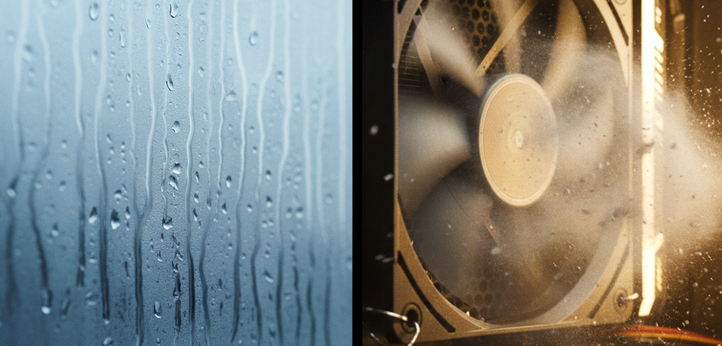
When the heating kicks in, it doesn’t just warm your home; it often circulates more dust. And where does a lot of that dust end up? Right inside your computer! Dust acts like a blanket, trapping heat and making your PC’s fans work overtime. This can lead to overheating, a noisy machine, and ultimately, slow performance or even hardware damage.
You’ll want to tackle this regularly. First, turn off and unplug your computer completely. Take it to a well-ventilated area, ideally outside or, if possible, in a garage. Use a can of compressed air to blast out dust from vents, fans, and internal components. Make sure to hold the can upright and use short bursts. For stubborn grime, a soft, anti-static brush can be your best friend. Doing this once a month during peak heating season can really save your system.
Defeat the Damp: Battling Moisture and Condensation
Moisture is arguably one of the most dangerous threats to electronics, and winter offers plenty of opportunities for it to sneak in. Imagine bringing a cold laptop inside from a freezing car or walking into a warm house after a chilly commute – condensation can form inside your device, just like on a cold drink glass. This can short-circuit components and cause irreversible damage.
Always let your devices acclimate to room temperature before turning them on if they’ve been exposed to cold. If you live in a very humid environment, even indoors, consider using a dehumidifier. Conversely, if your home heating dries the air too much, static electricity becomes a risk, so a humidifier might be helpful, but keep it a safe distance from your tech. And, as always, keep drinks and any other liquids far away from your setup!
Boost Performance: Software Tune-Up for Winter Sluggishness
Sometimes, slow performance isn’t just about dust or cold; it’s also about what’s happening inside the software. Winter is a great time to declutter your digital life. Start by uninstalling programs you no longer use, and manage your startup applications to prevent unnecessary software from launching automatically.
For Windows users, running Disk Cleanup and defragmenting your hard drive (if you have an HDD, not an SSD) can make a noticeable difference. Mac users can clear caches and optimize storage. Don’t forget to update your operating system and drivers regularly, as these updates often include performance enhancements and bug fixes that can smooth out any winter slowdowns.
Optimize Your Environment: Location Matters
Where you place your computer can have a significant impact during winter. Avoid placing your PC directly next to a radiator or heating vent, as excessive heat can be just as bad as extreme cold. Ensure there’s plenty of space around your computer tower or laptop for air to circulate freely. Good airflow prevents heat buildup and helps your fans work less strenuously. Keeping your workspace tidy also improves air circulation around your device.
Winter Computer Woes vs. Simple Fixes
Here’s a quick look at common winter computer issues and how you can easily address them:
| Winter Computer Woe | Why it Happens in Winter | Simple Fix |
|---|---|---|
| Dust Buildup | Increased heating circulates more dust | Regular internal cleaning with compressed air or anti-static brush |
| Moisture/Condensation | Bringing cold devices into warm spaces | Allow devices to acclimate to room temperature before powering on; manage indoor humidity |
| Sluggish Performance | Overheating from dust, software bloat | Clean dust; perform software clean-up (uninstall apps, update drivers); check startup programs |
| Excessive Static Discharge | Dry indoor air from heating | Use a humidifier; touch grounded metal before handling components |
Your PC Deserves Winter Care
As you can see, keeping your computer happy and healthy during the winter doesn’t have to be daunting. By regularly dusting, being mindful of moisture, and giving your software a little tune-up, you can prevent common issues like slow performance and potential hardware damage. These small, proactive steps will not only keep your machine running smoothly through the coldest months but will also extend its overall life. Your computer works hard for you all year; why not show it some extra love this winter?